AAE: adobe after effects – tips & shortcuts for 2025

AAE: adobe after effects – tips & shortcuts for 2025
,
WHAT IN THE SAM-HECK IS THIS BLOG ALL ABOUT?!?

GLiTCH &GRiND is where strategy collides with storytelling—a raw, unfiltered thread from the trenches of Xemex Marketing, Court Warrior, and Silent Anthem Productions.

This is the behind-the-scenes chronicle of three brands built on grit, clarity, and creative fire. We document the grind: marketing pivots, merch drops, booth builds, brand battles, late-night breakthroughs, and the messy middle that nobody posts about.

You’ll find marketing strategies tested in real time, tutorials born from trial and error, stories from the hustle, and the frameworks that turn creative chaos into legacy-building momentum. We don’t wait for perfect—we execute, iterate, and evolve.

If you’re into mission-driven marketing, tactical creativity, and building something that outlasts the algorithm, you’re in the right place.


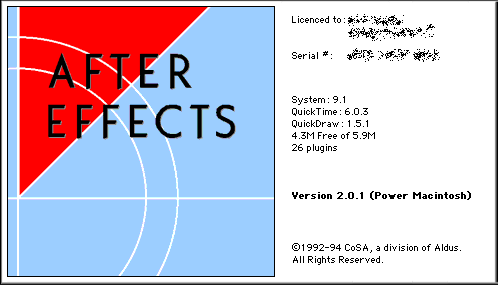
If you’ve been fortunate enough to have After Effects in your life, you might agree with me that it’s one of the most fun software out there to use. The interface, all the layers, shortcut keys, graph editor, capabilities, awesome/fun filters and effects, the overall vibe and all the plugins (I have goosebumps)! As I unlock this journey one level at a time, I’m getting re-acclimated to After Effects. Here’s a blog-ready breakdown of After Effects tips, keyboard shortcuts, and tutorials—perfect for empowering Xemex clients and creators with punchy, efficient editing workflows.


🎬 Glitch & Grind Blog Drop: After Effects Tips & Shortcuts for 2025

Whether you’re animating a splash page, building a :57Second Pulse promotional spotlight commercial, or crafting branded walkthroughs, mastering After Effects means working smarter—not just harder. Here’s your tactical toolkit:


⌨️ Top Keyboard Shortcuts to Memorize

  • Spacebar → Preview playback
  • Ctrl + Alt + ‘ → Open Keyboard Shortcut Editor
  • U → Show animated properties (keyframes)
  • P / S / R / T → Position / Scale / Rotation / Opacity
  • Ctrl + D → Duplicate layer
  • Alt + [ or ] → Trim layer in/out point
  • Ctrl + Shift + C → Pre-compose selected layers
  • Ctrl + M → Add to render queue
  • 0 (on numpad) → RAM preview
  • Shift + F3 → Graph Editor toggle

Explore the full shortcut reference here.


🧠 Editing Tips That Save Time

  • Use pre-comps to organize complex animations
  • Graph Editor = smoother motion with ease-in/ease-out
  • Color-coded layers help track assets visually
  • Motion blur toggle adds realism to fast movement
  • Use adjustment layers for global effects (color, glow, etc.)

📺 Tutorials to Level Up Fast

Here’s a top-rated beginner tutorial that covers everything from compositions to keyframes, text animation, and rendering:

Other standout tutorials:


🧠 xemex’s Tactical Hook

“Every shortcut is a signal boost. The faster you move, the more time you have to make it pulse.”

There’s a lot of editing software out there, whichever one you are utilizing to enhance your brand, the internet is chalk-ful of content to help you along. Want help building branded templates, smart layer setups, or a modular animation workflow for xemex? I can help you wire it up like a motion design engine. Do you have any After Effects tips that you use? Please share below, we’d love to hear from you.



Your brand. In motion – the :57SecondPULSE is coming, built for small brands with big energy.


“”You miss 100% of the shots you don’t take.”
~Wayne Gretzky

~Michael Scott”

STAY IN THE LOOP. BUILD WITH US.

Want first dibs on new drops, behind-the-scenes momentum, and mission-driven updates from xemex, and Silent Anthem Productions?

Drop your email below to join the newsletter crew. We’ll send you the good stuff—no spam, no fluff. Unsubscribe anytime.

Sign up with us now and be the first one to know about our exclusive offers and product updates.

← Back

Thank you for your response. ✨

By submitting your information, you`re giving us permission to email you. You may unsubscribe at any time.

Follow Us on Linktree!
  • THE :57SECONDPULSE – WHY YOUR BRAND NEEDS A MINUTE TO SHINE

    The biggest mistake small businesses make is thinking they need a massive marketing budget to make an impact. They see Super Bowl ads, influencer campaigns, and Hollywood-level production and assume that’s the barrier to entry. At Xemex, we believe the opposite is true: the most powerful marketing isn’t about how much you spend—it’s about how…

  • THE VISIBILITY PARADOX: WHY YOUR BEST WORK ISN’T GETTING SEEN

    You’ve poured your heart into your product. Your service is top-tier. Your team is locked in. So why does it feel like you’re screaming into the void? At Xemex, we see this all the time: incredible businesses with zero visibility. The work is there. The passion is there. But the audience? Nowhere to be found.…

  • WHY CREATIVES ARE STILL KING IN THE AGE OF AI: BRANDING DESIGN TIPS THAT MACHINES CAN’T REPLICATE

    AI is everywhere. It’s writing copy, generating logos, editing photos, and even creating entire ad campaigns. At Xemex, we use AI as a tool—but we’ll never let it replace the human creative process. Why? Because AI can imitate patterns, but it can’t capture soul. It can generate options, but it can’t make the gut-level decisions…

  • A.I. NERD-TOWN JARGIN: WHAT ARE LARGE LANGUAGE MODELS?

    The internet gave us the world at our fingertips; Artificial Intelligence is giving us the power to actually shape it. Think of AI not just as a “chatbot,” but as a high-performance engine for your imagination—a tool as transformative as the web itself, capable of turning raw ideas into reality at 180 mph. I’m not…